CINEDOME
Cinedome • Concept Project • Google UX Design Professional Certificate
Project Overview
Overview & Objectives
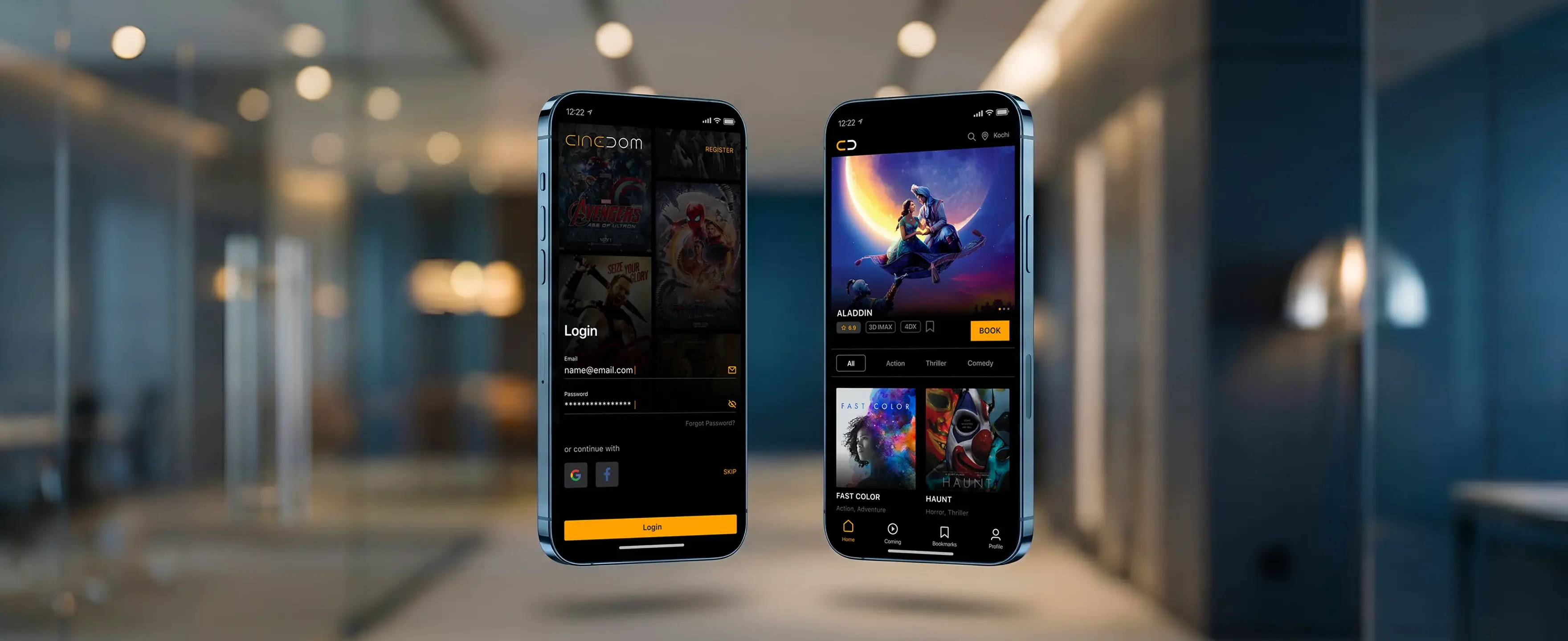
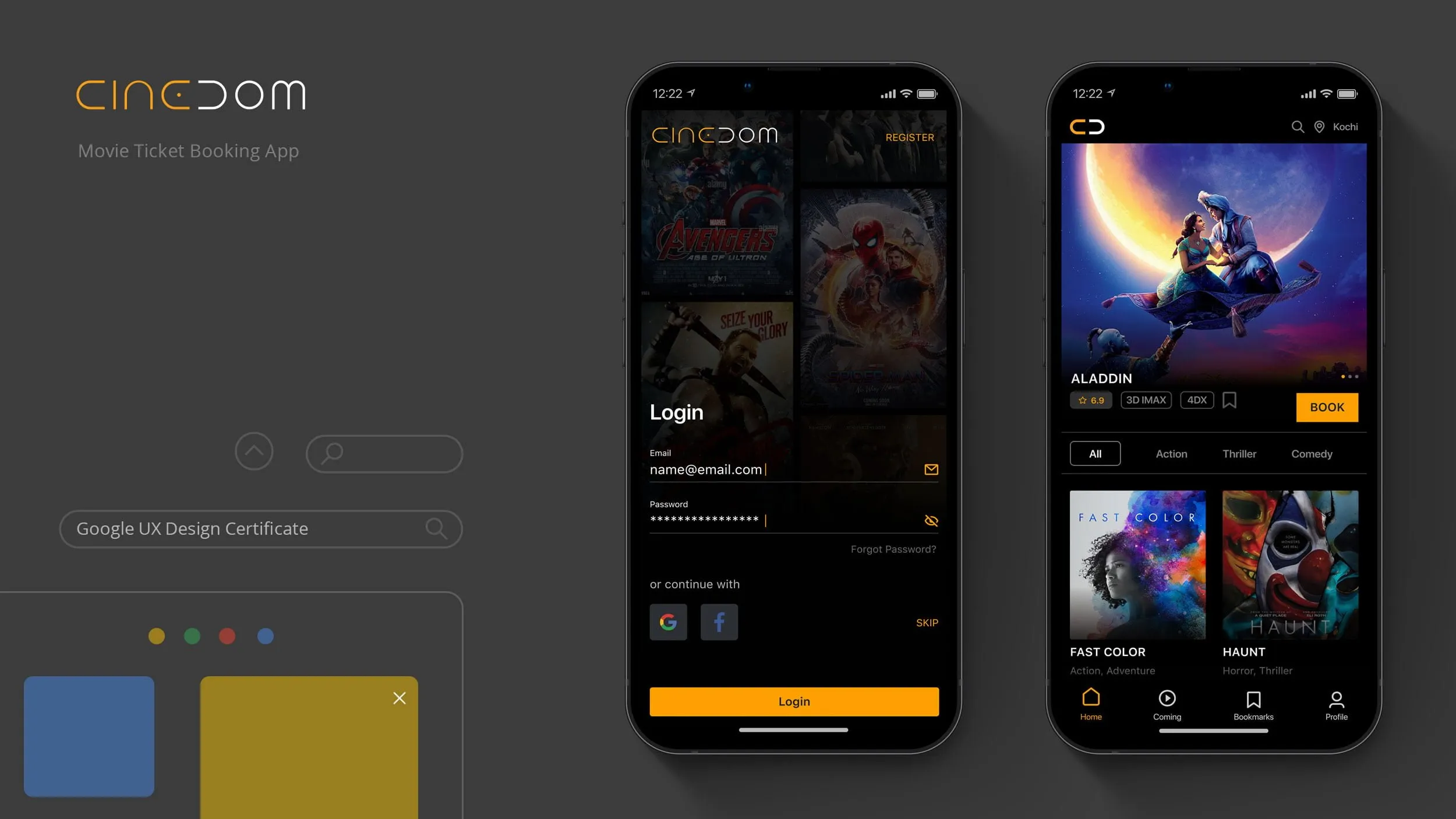
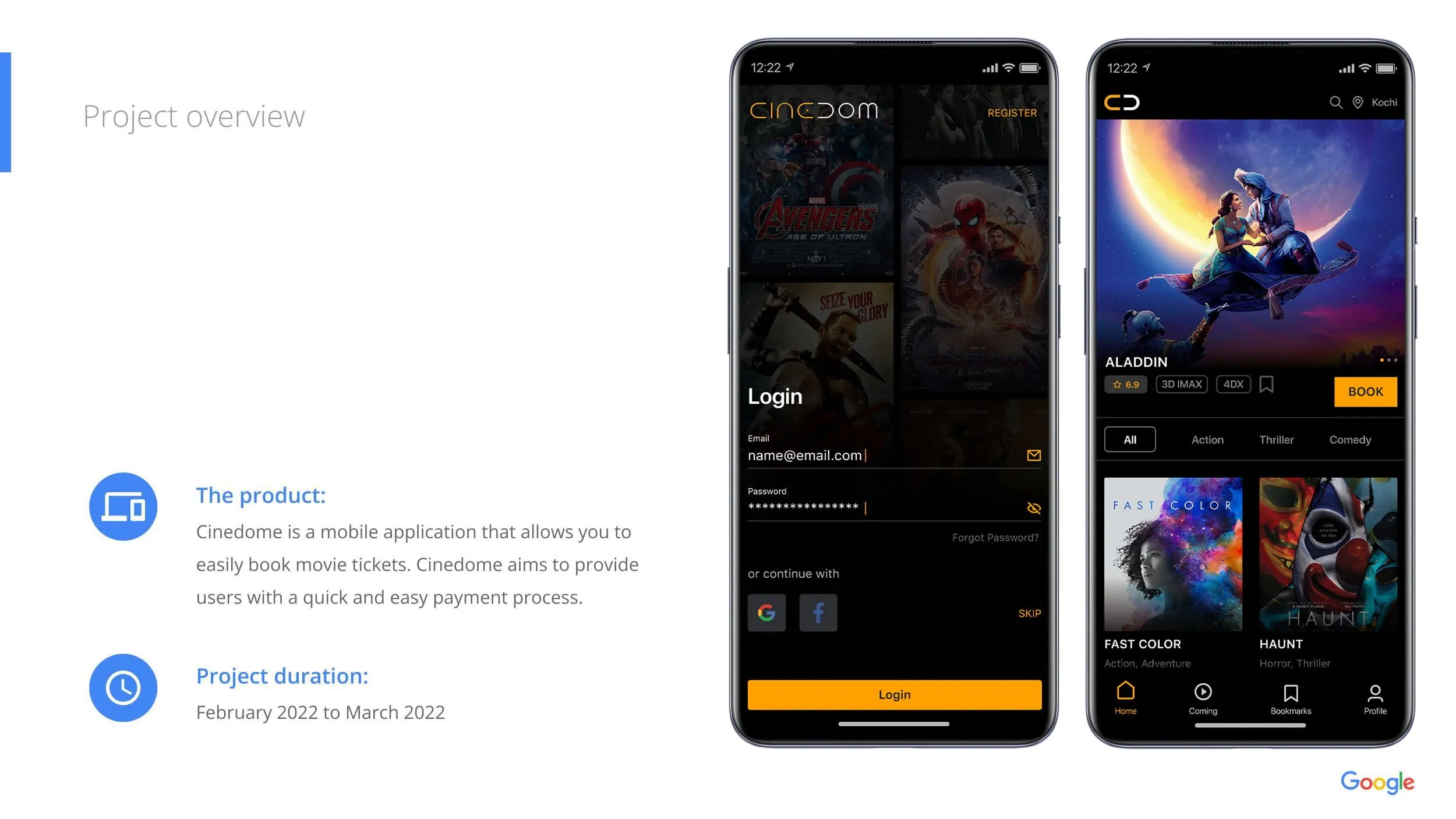
Cinedome is a conceptual mobile application developed as part of the Google UX Design Professional Certificate, designed to demonstrate the complete user-centered design process from research through high-fidelity prototyping.
The project explored how a thoughtfully designed mobile experience could simplify the movie ticket booking journey while reducing common frustrations such as lengthy booking flows, confusing seat selection, and repetitive checkout steps.
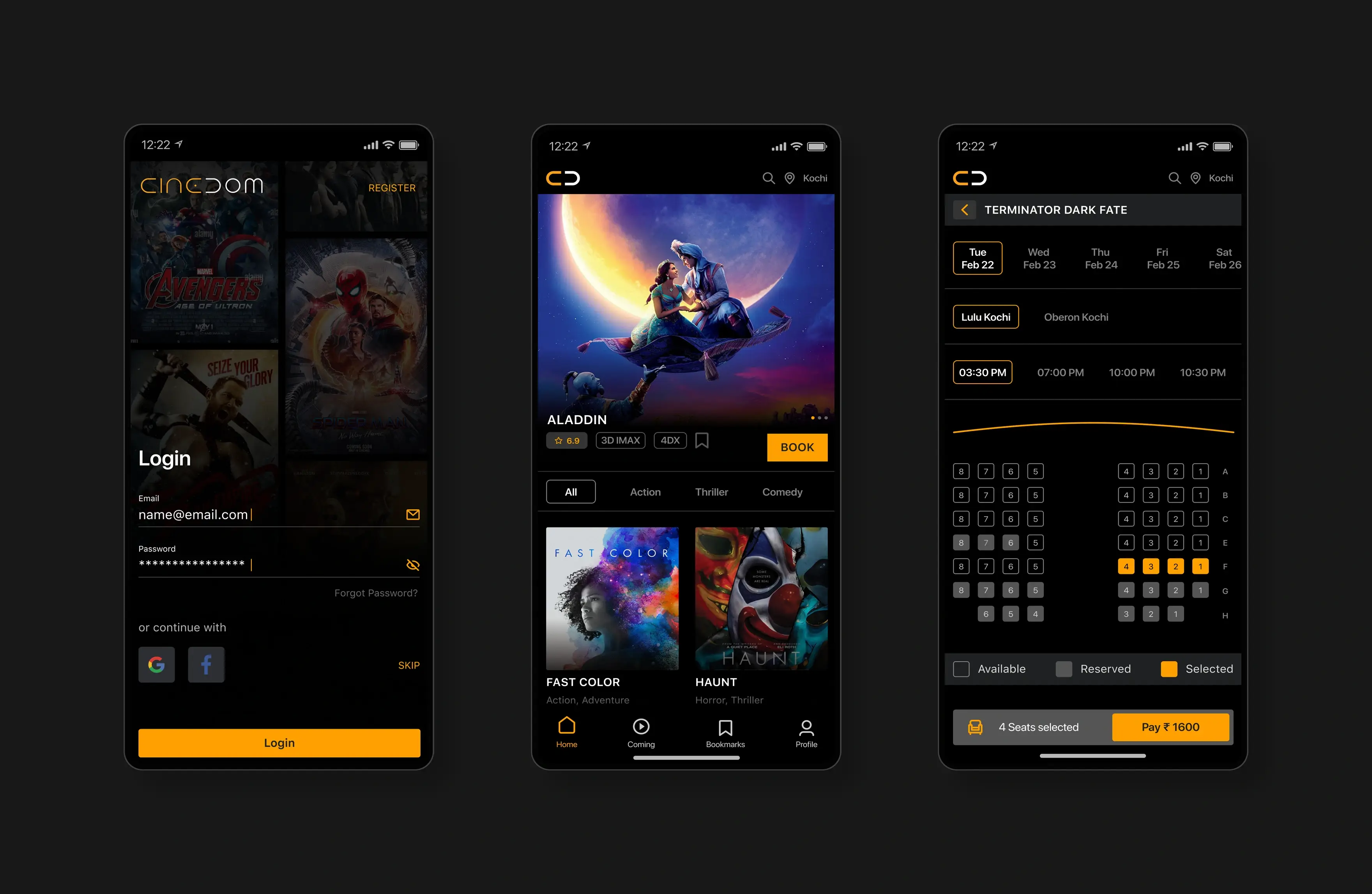
Unlike enterprise projects that focus on operational efficiency, Cinedome emphasized consumer experience by creating an intuitive, mobile-first interface that allows users to discover movies, compare showtimes, select seats, complete secure payments, and access digital tickets with minimal friction.
The project involved every stage of the UX lifecycle, including user research, competitive analysis, persona creation, journey mapping, information architecture, wireframing, interactive prototyping, usability testing, and iterative design improvements.
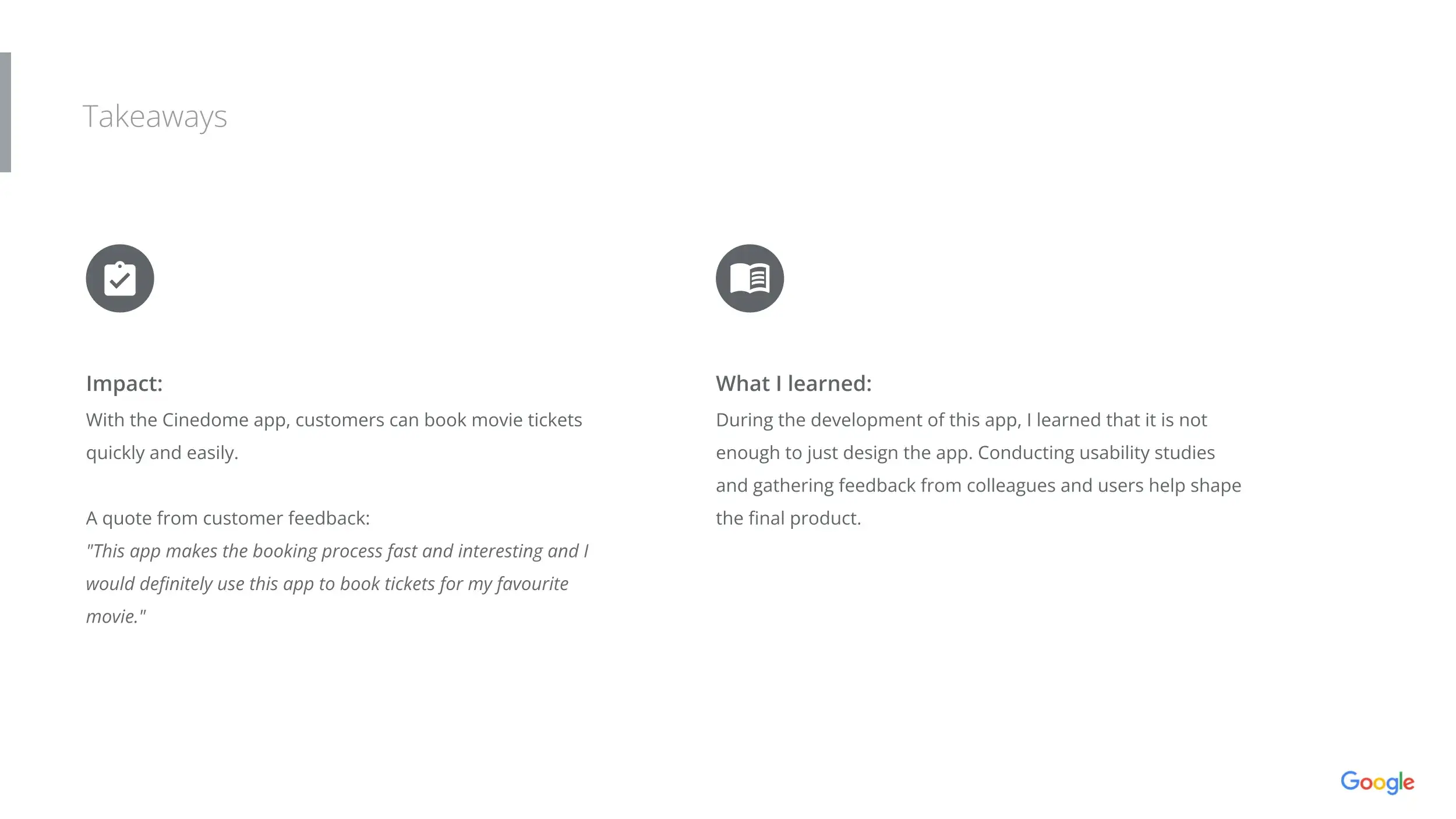
While conceptual, Cinedome strengthened my ability to translate user research into practical design decisions and reinforced the importance of continuous testing and iteration throughout the product design process.
Project Context
This project was completed as part of the Google UX Design Professional Certificate.
The objective was to apply industry-standard UX methodologies to solve a real-world consumer problem through a structured design process.
Unlike my enterprise healthcare and aviation projects, this case study focuses on demonstrating the complete UX lifecycle—from research and ideation through validation and refinement.
The Problem
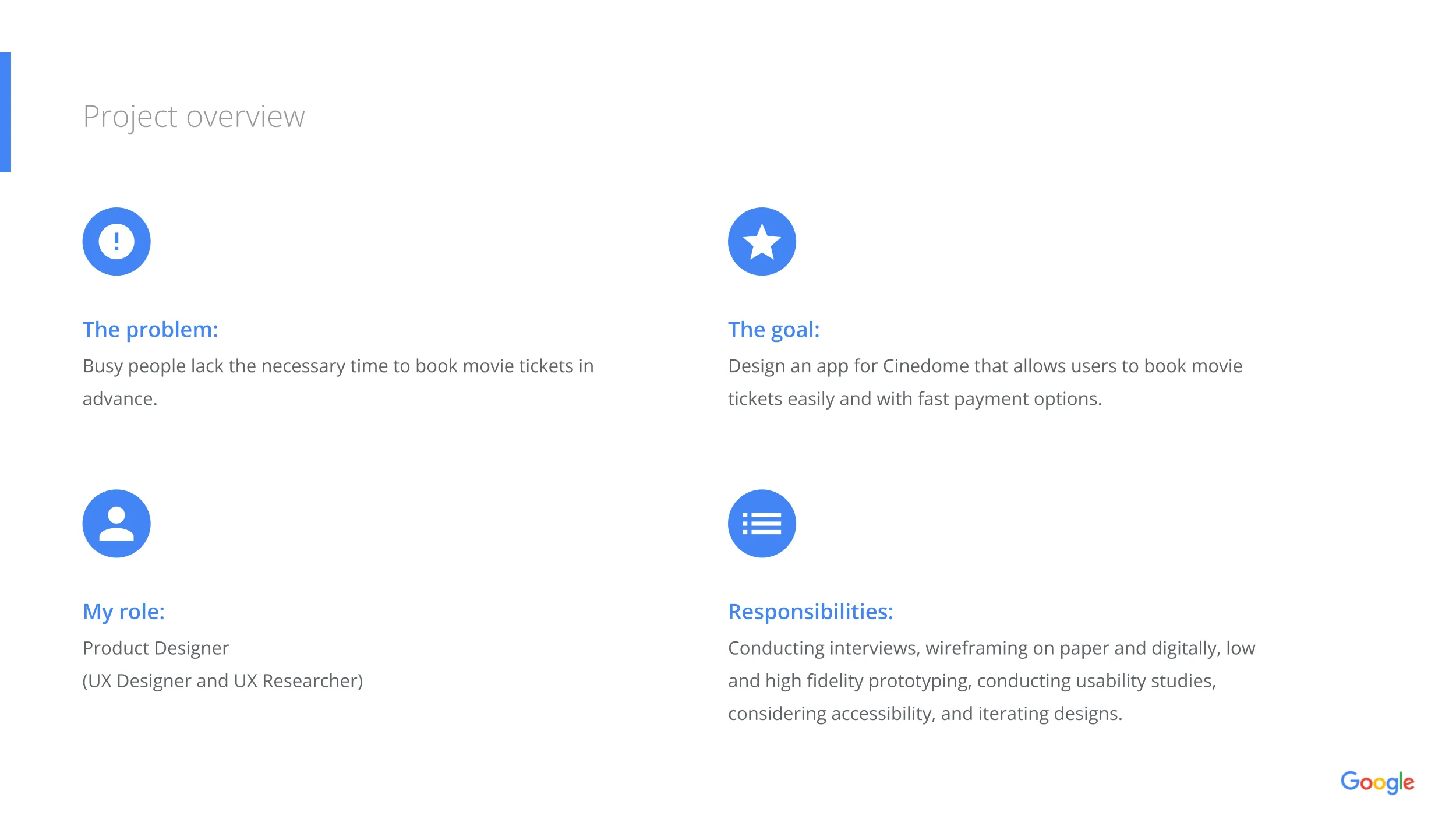
Booking movie tickets should be fast, enjoyable, and intuitive.
However, many existing applications introduce unnecessary complexity through lengthy navigation, inconsistent information, confusing seat selection, and cumbersome payment flows.
For users planning spontaneous movie outings, these friction points often reduce convenience and negatively affect the overall experience.
The challenge was to design a mobile application that enables users to complete the booking process quickly while maintaining confidence throughout every step of the journey.
Design Challenge
The project focused on improving five key areas of the booking experience.
Help users quickly browse movies, compare showtimes, and access relevant information without unnecessary navigation.
Create a streamlined workflow that minimizes steps from movie selection to payment confirmation.
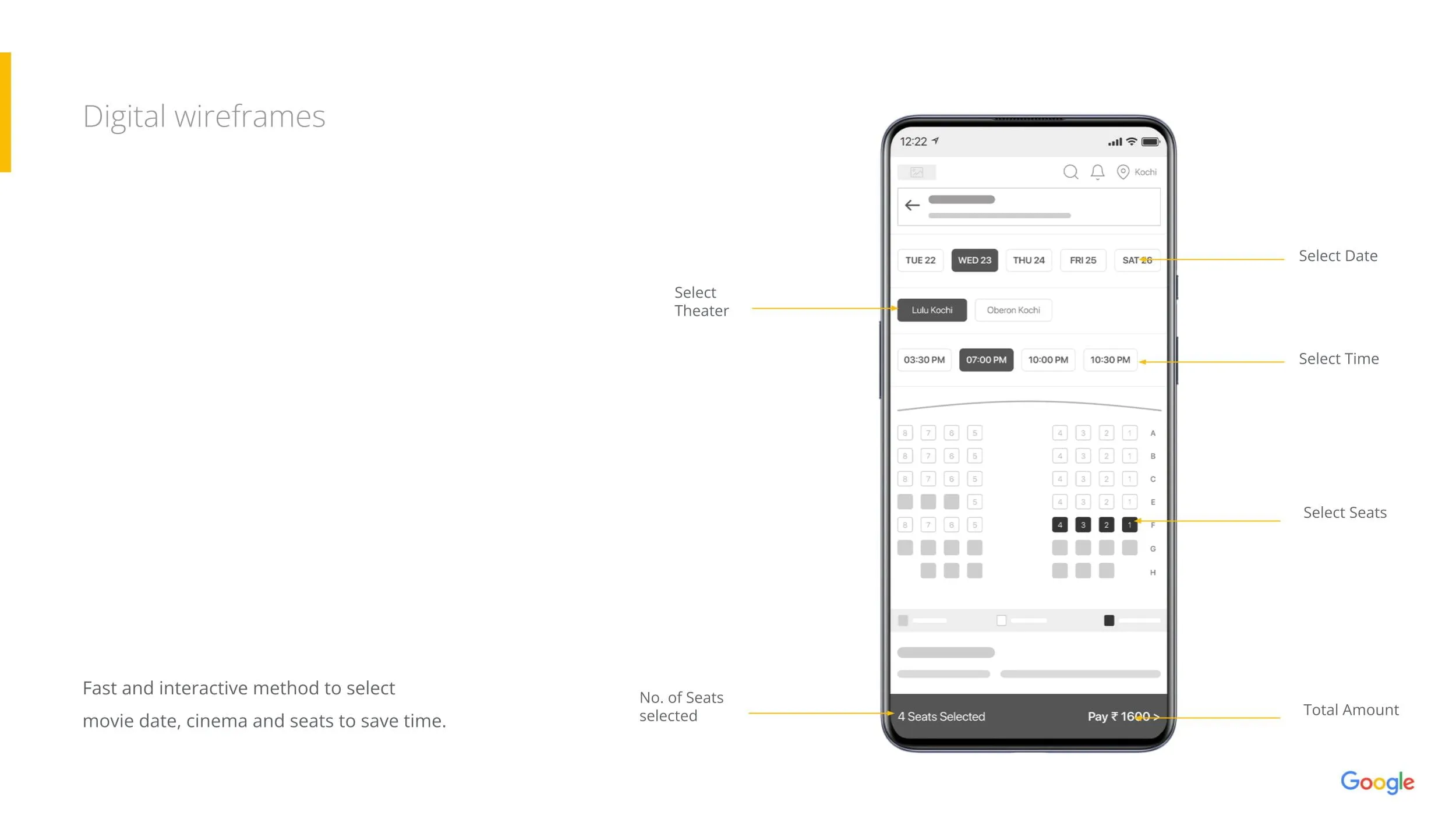
Design an intuitive seating interface that clearly communicates availability, pricing, and selection status.
Provide clear feedback, transparent pricing, and predictable interactions throughout checkout.
Design a touch-friendly experience that supports one-handed interaction while maintaining accessibility and readability.
Project Goals
The experience was designed around several principles.
My Role
As the sole UX Designer for this project, I completed the entire user-centered design process.
Design Process
The end-to-end user-centered framework followed throughout the project lifecycle.
User Research
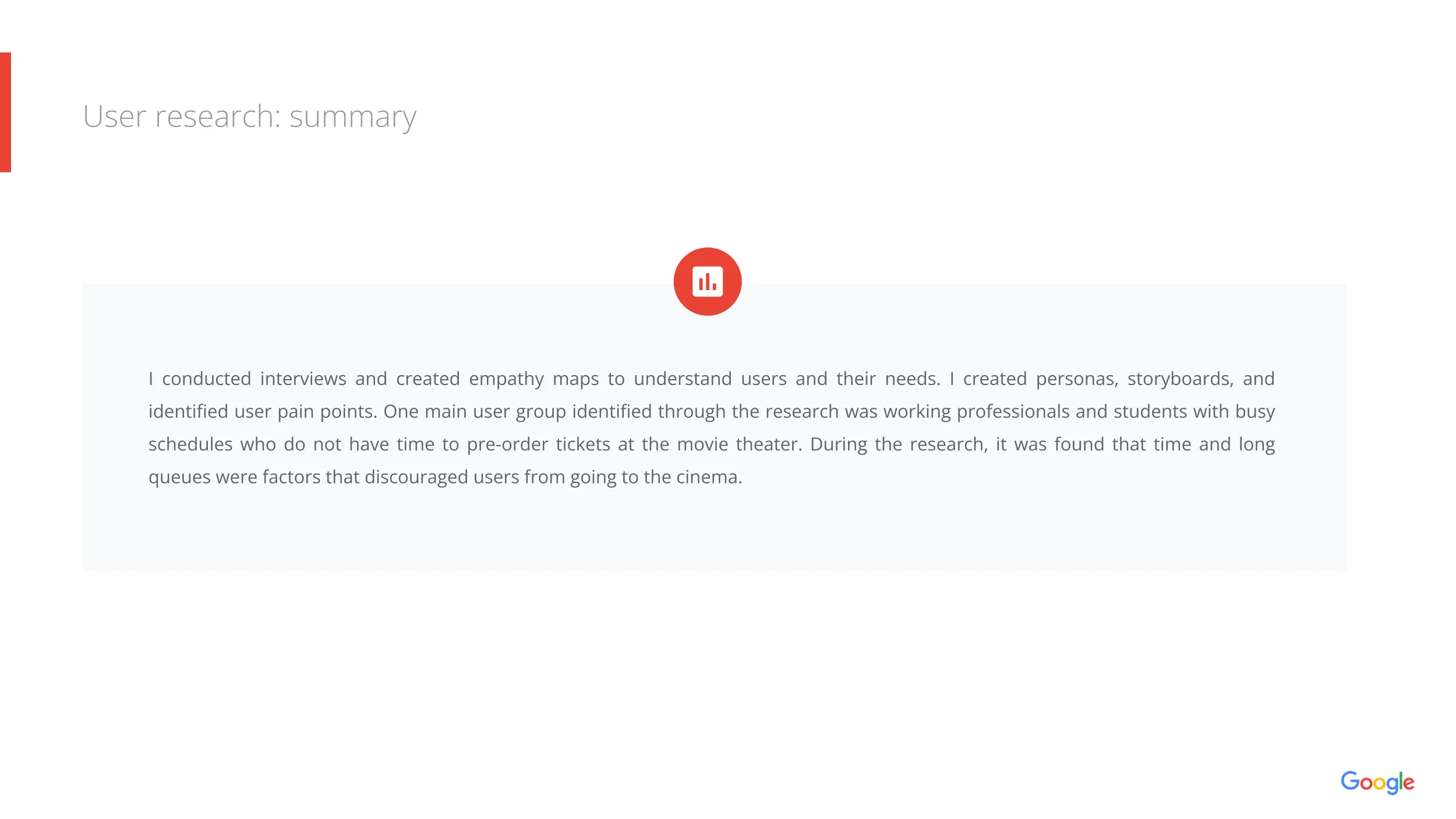
The design process began by understanding how people currently book movie tickets and identifying the challenges they experience throughout the booking journey.
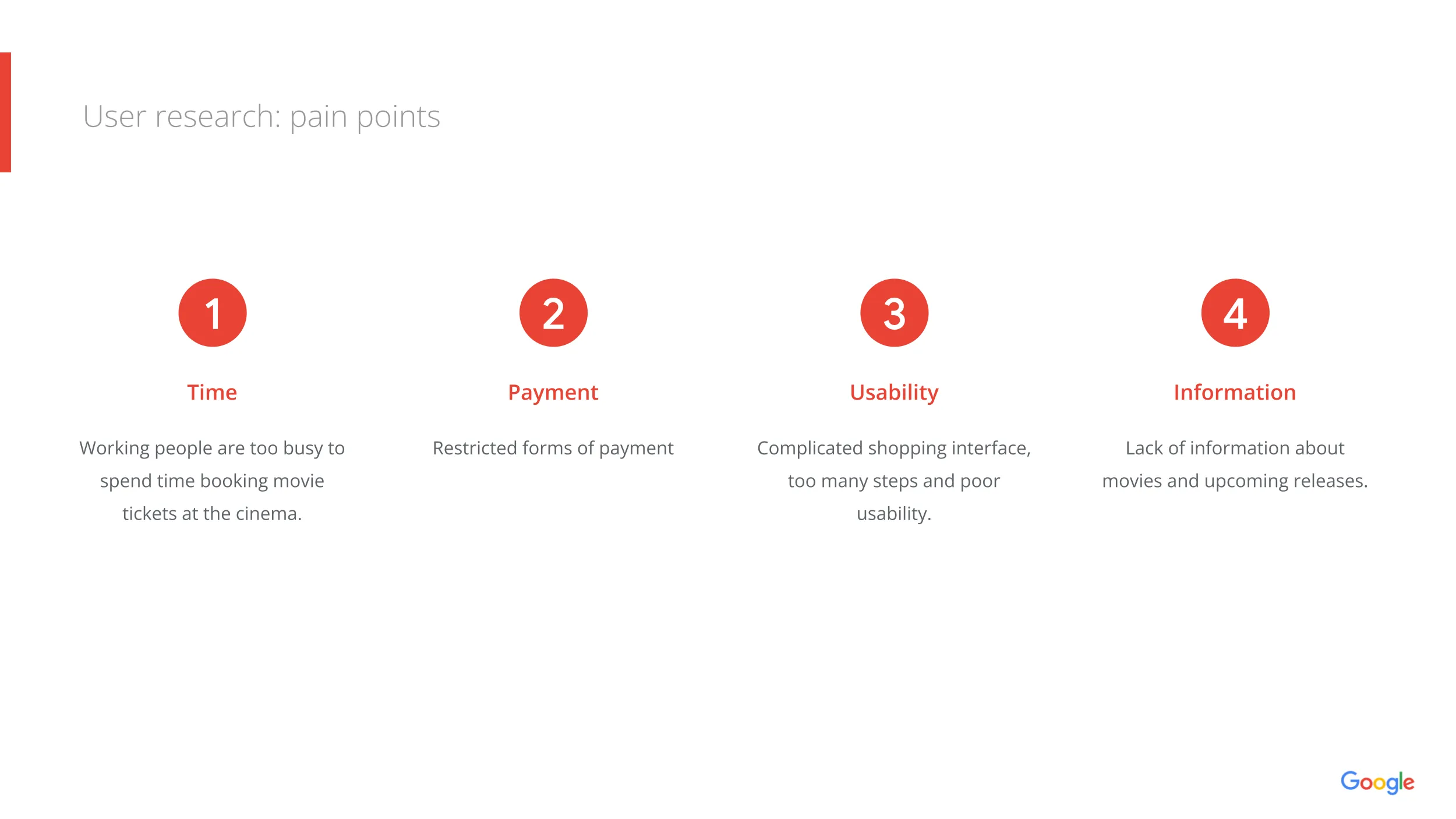
Research included interviews, competitive analysis, and user observations. The findings revealed several recurring themes.
Key Insights
These insights informed every design decision throughout the project.
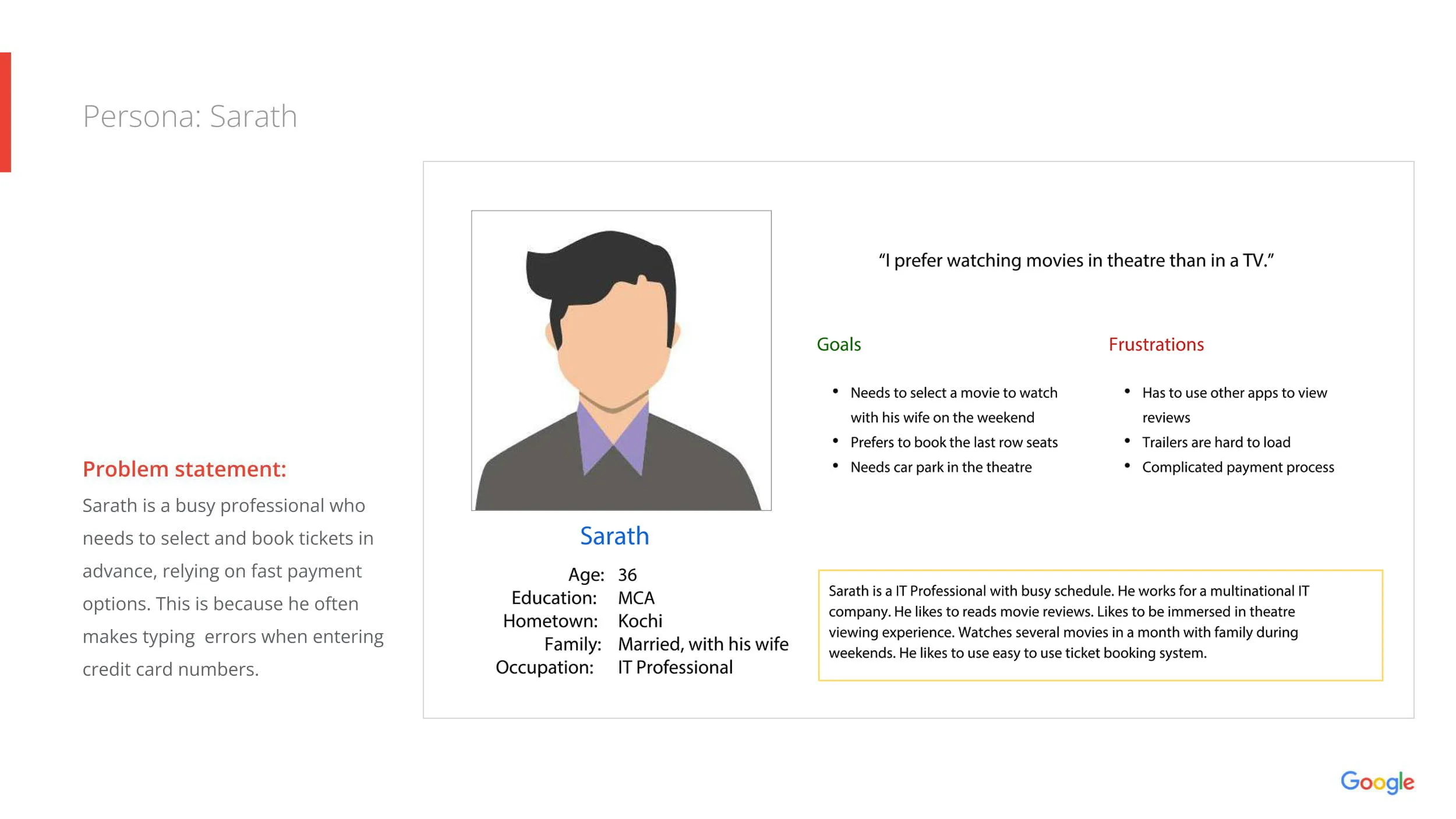
User Persona
Based on research findings, a primary persona was created to represent the target audience.
Goals
Pain Points
The persona helped ensure design decisions remained aligned with real user needs.
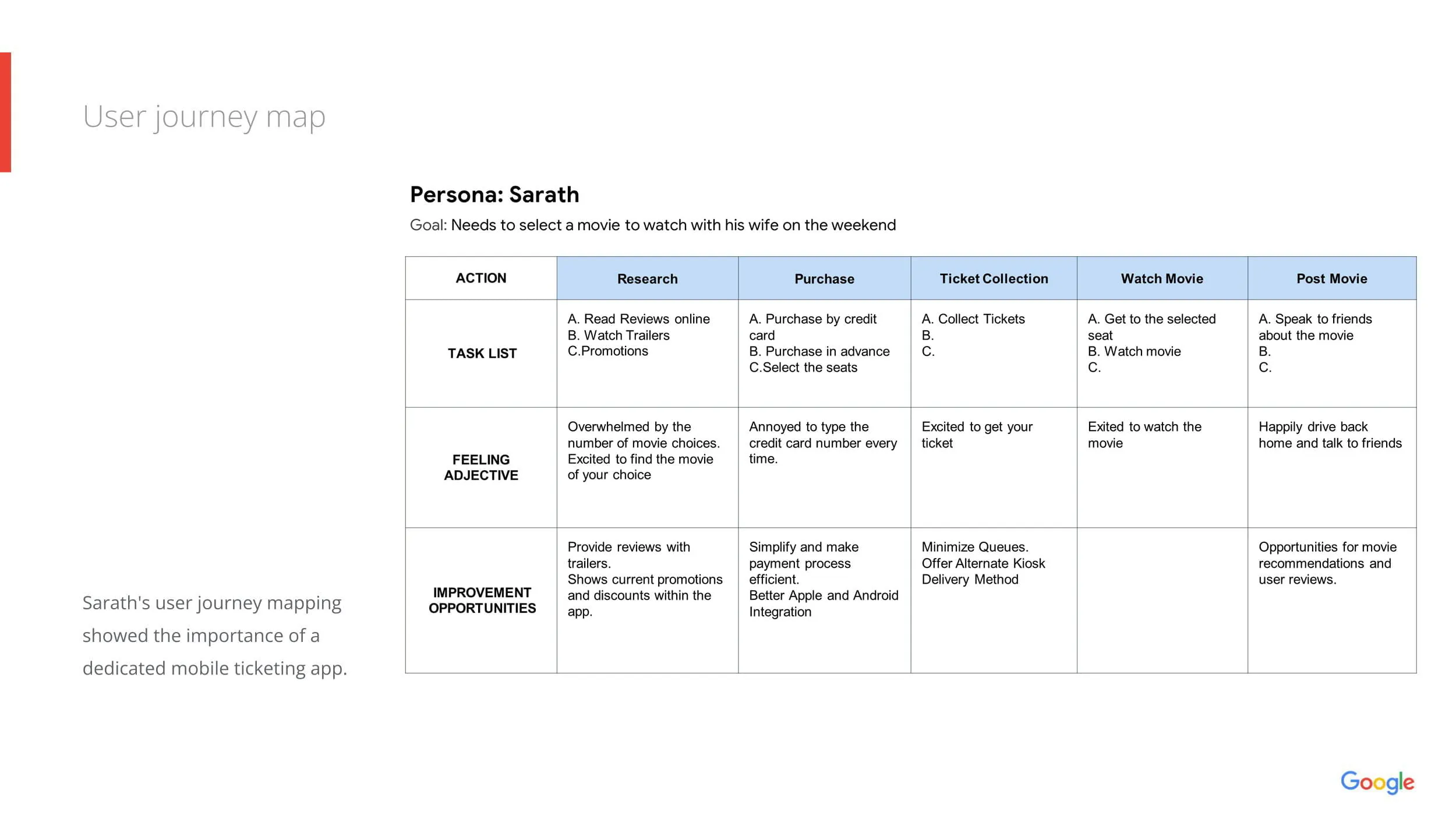
User Journey
The booking journey was mapped to identify friction points and opportunities for improvement.
Journey mapping highlighted opportunities to reduce unnecessary navigation and simplify decision-making throughout the experience.
Information Architecture
The application was organized around the natural sequence of the booking process.
Keeping the navigation aligned with users' mental models helped reduce cognitive effort.
Wireframing
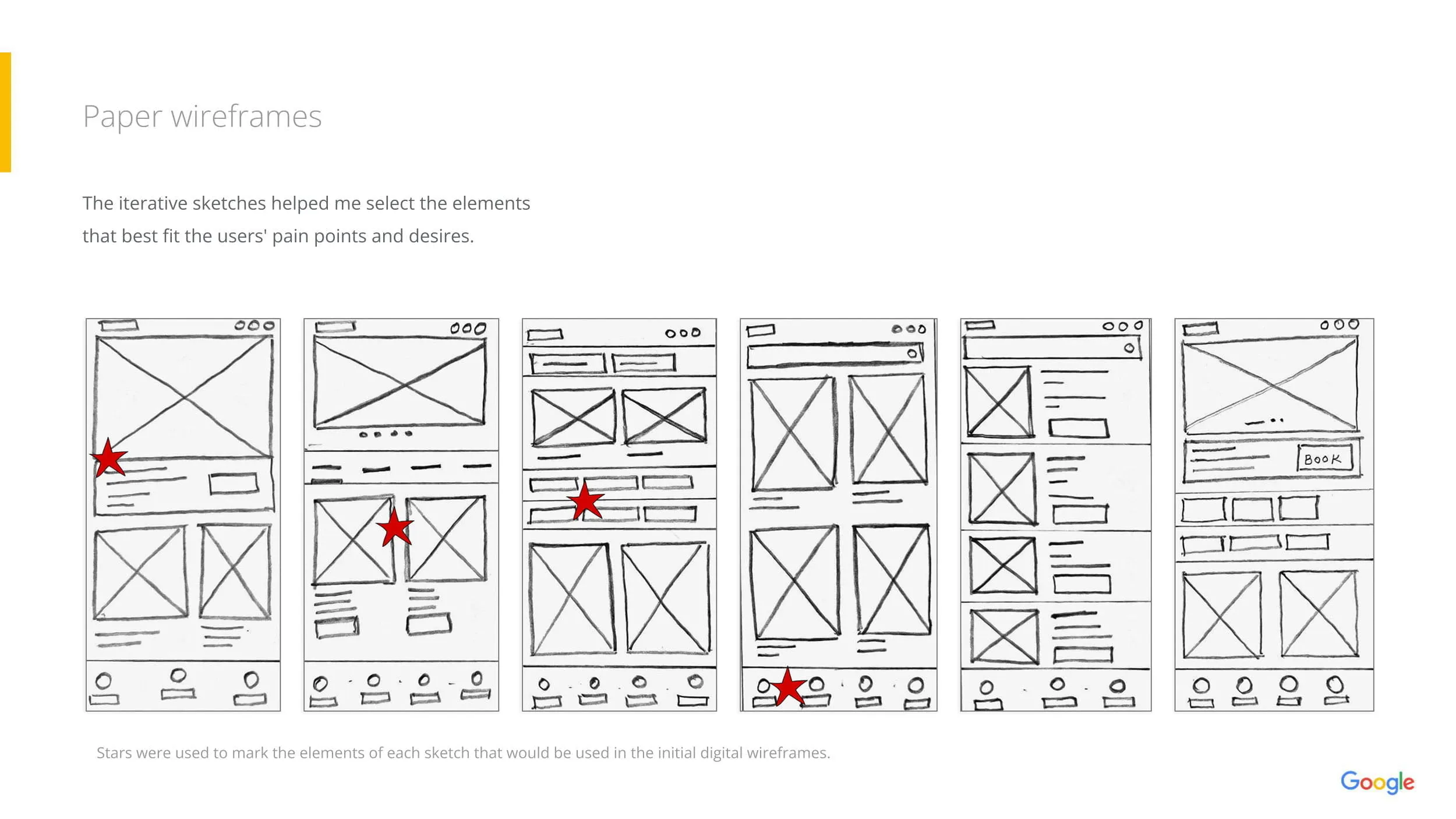
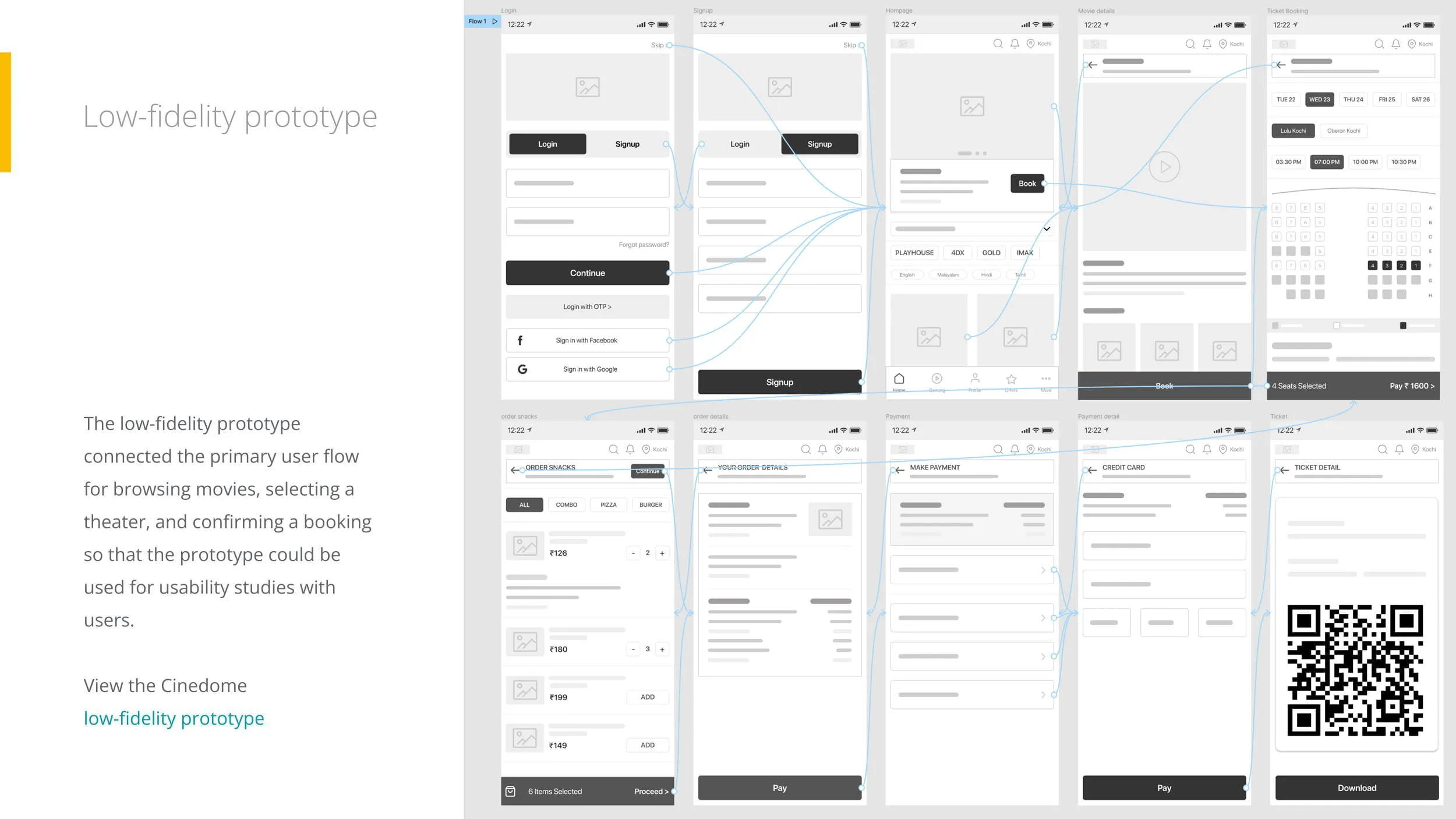
The design process began with paper sketches to explore multiple layout ideas before moving into digital wireframes.
This iterative approach enabled rapid exploration of navigation patterns, content hierarchy, and interaction flows while identifying usability improvements early in the process.
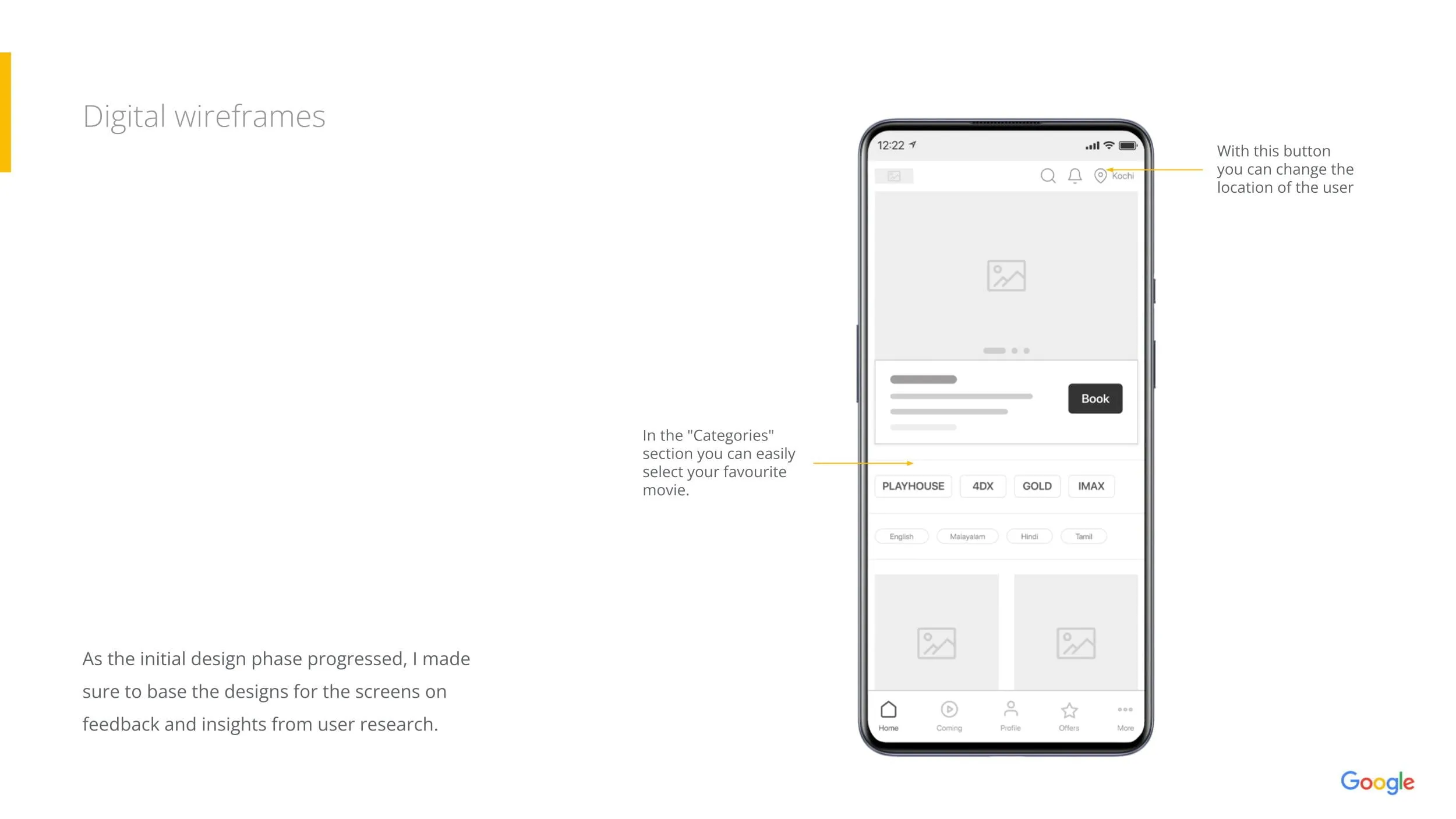
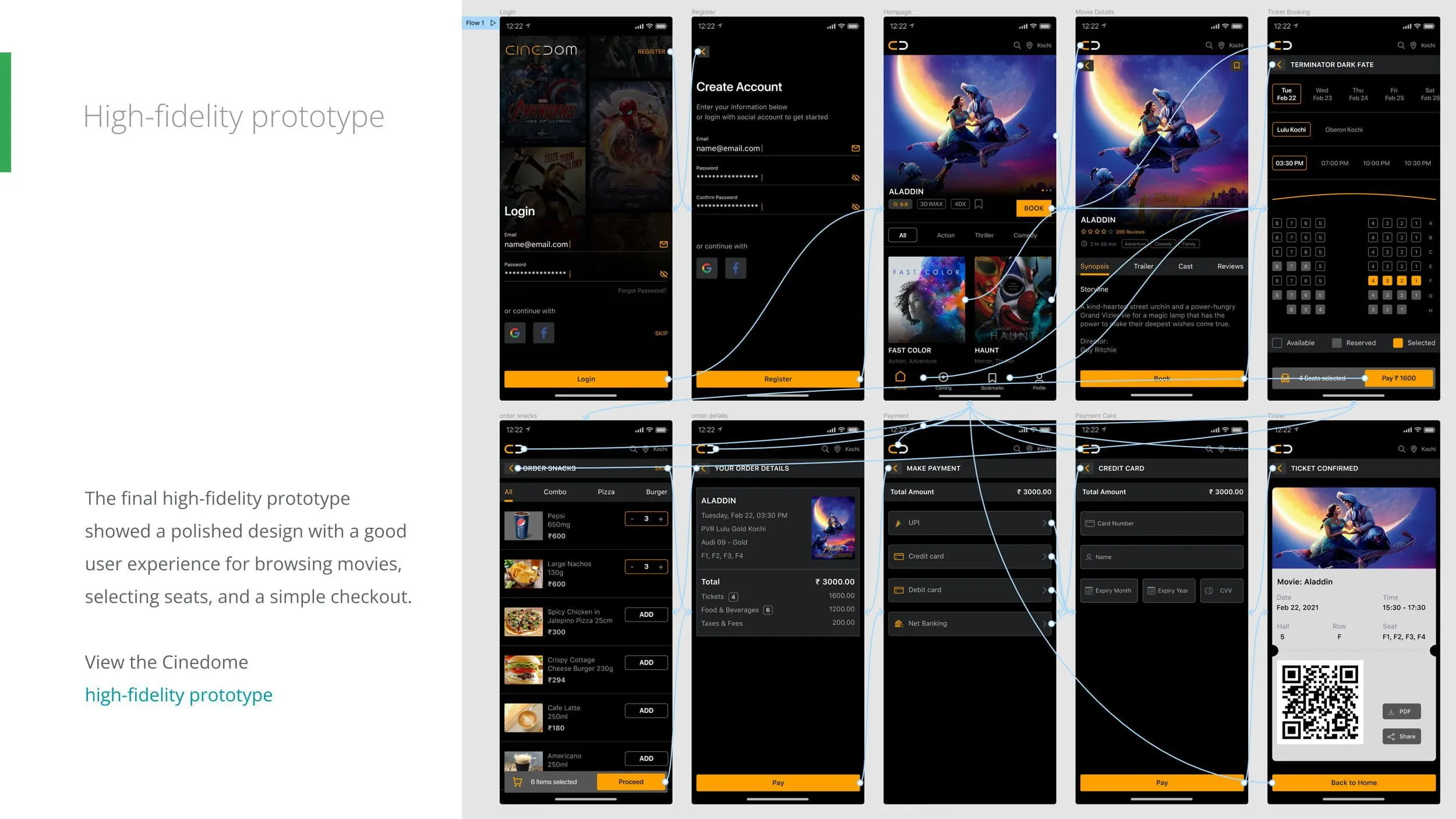
Low-fidelity wireframes evolved into high-fidelity prototypes as the experience became more refined.
Key UX Decisions
Core architectural and interaction choices made to optimize the booking experience.
Reduced unnecessary navigation by presenting movie selection, theatre selection, and booking steps in a logical sequence.
Designed a visually clear seating layout using color coding and spacing to minimize booking errors.
Displayed pricing, booking summary, and payment information clearly to increase user confidence before confirming purchases.
Optimized interactions for thumb-friendly navigation with large touch targets and minimal typing.
Ensured users could quickly access their booking confirmation without searching through multiple screens.
Visual Design
The interface was designed around clarity and ease of use.
Typography
Large, legible typography supports quick scanning on mobile devices.
Colour Palette
A modern dark theme with vibrant accent colours emphasizes movies while maintaining readability.
Accessibility
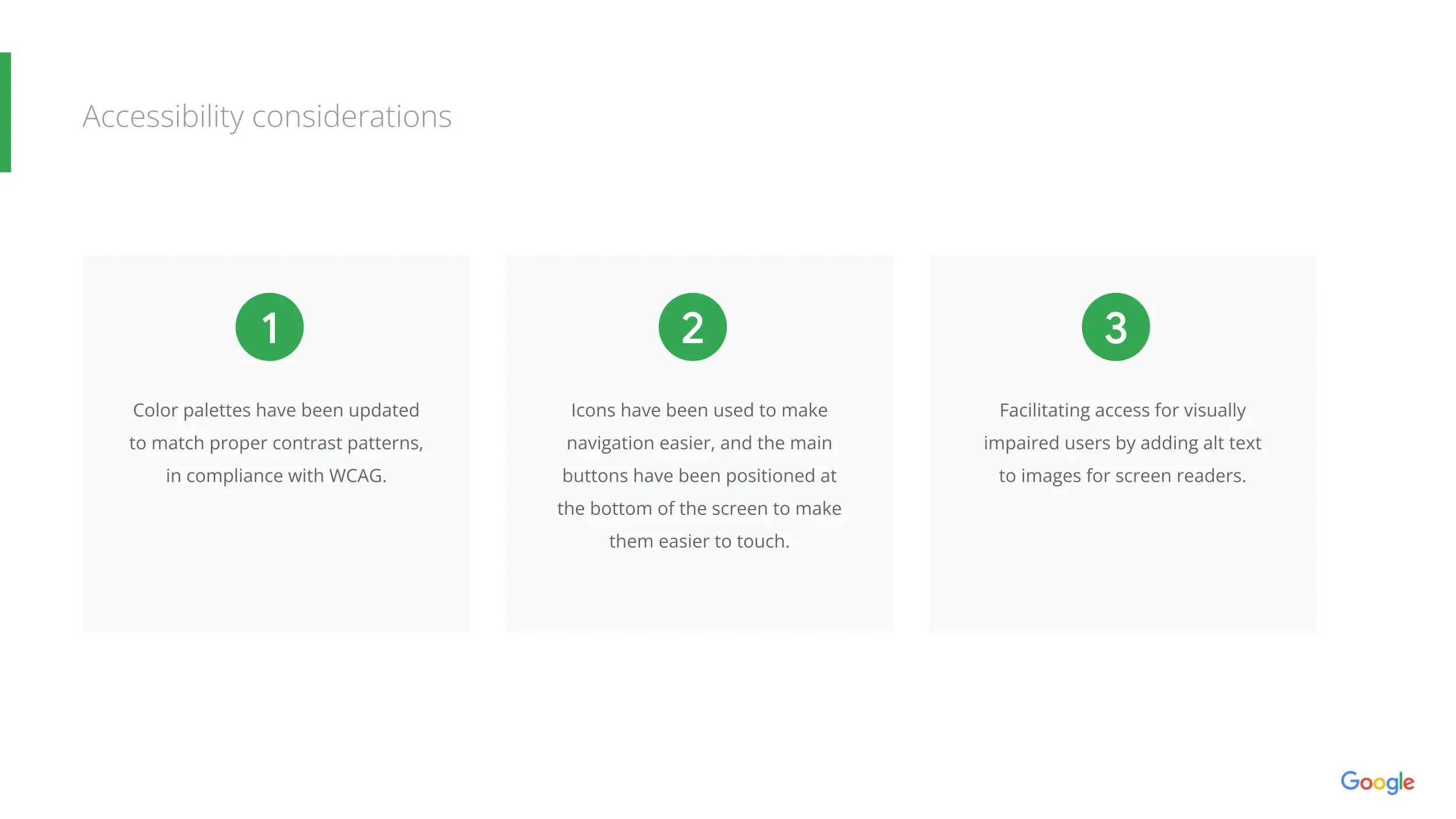
Accessibility improvements included:
Interactive Prototype
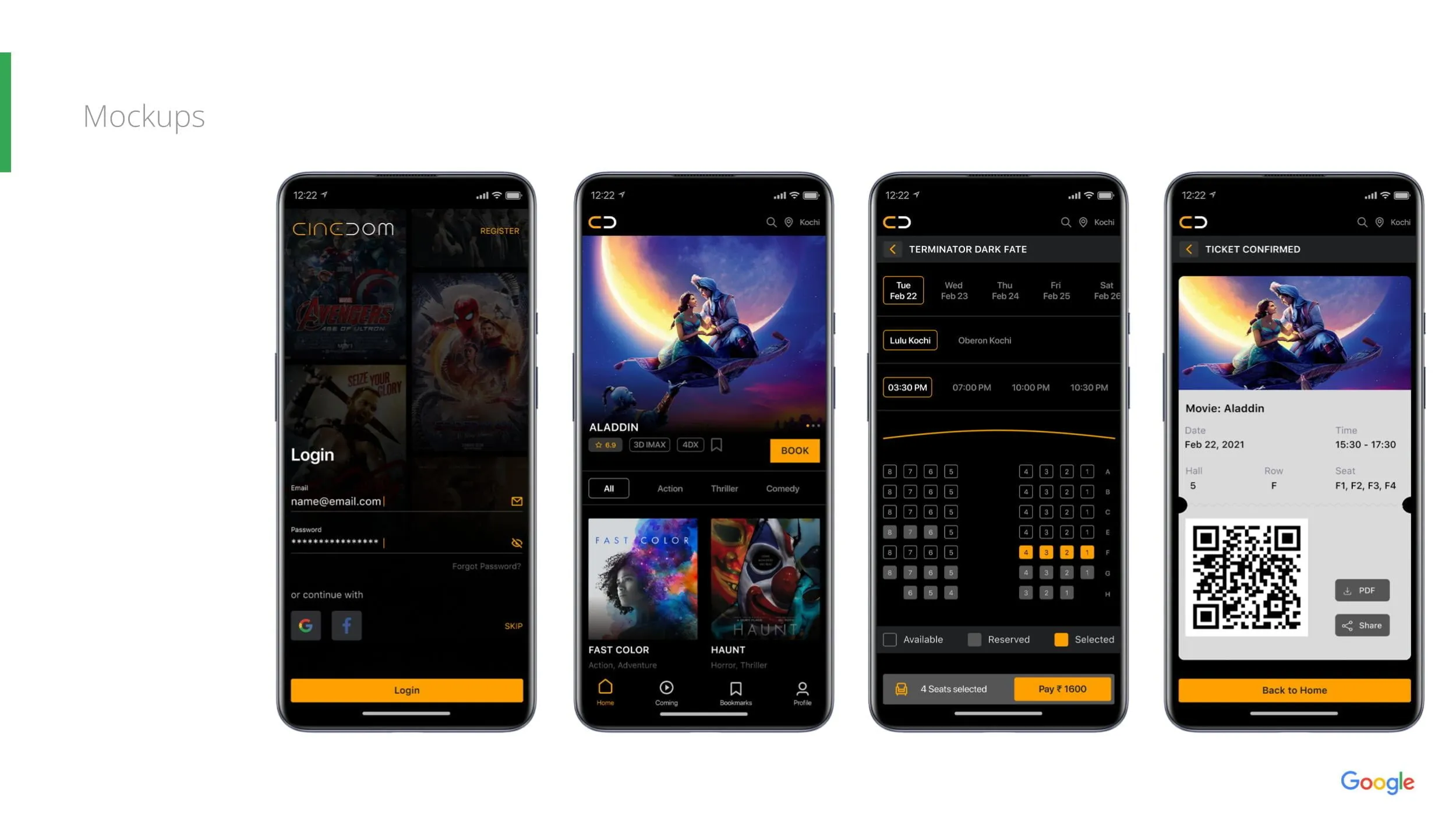
High-fidelity interactive prototypes were created to simulate the complete booking experience.
These prototypes allowed users to navigate through the application, complete booking tasks, and provide meaningful feedback before finalizing the design.
Usability Testing
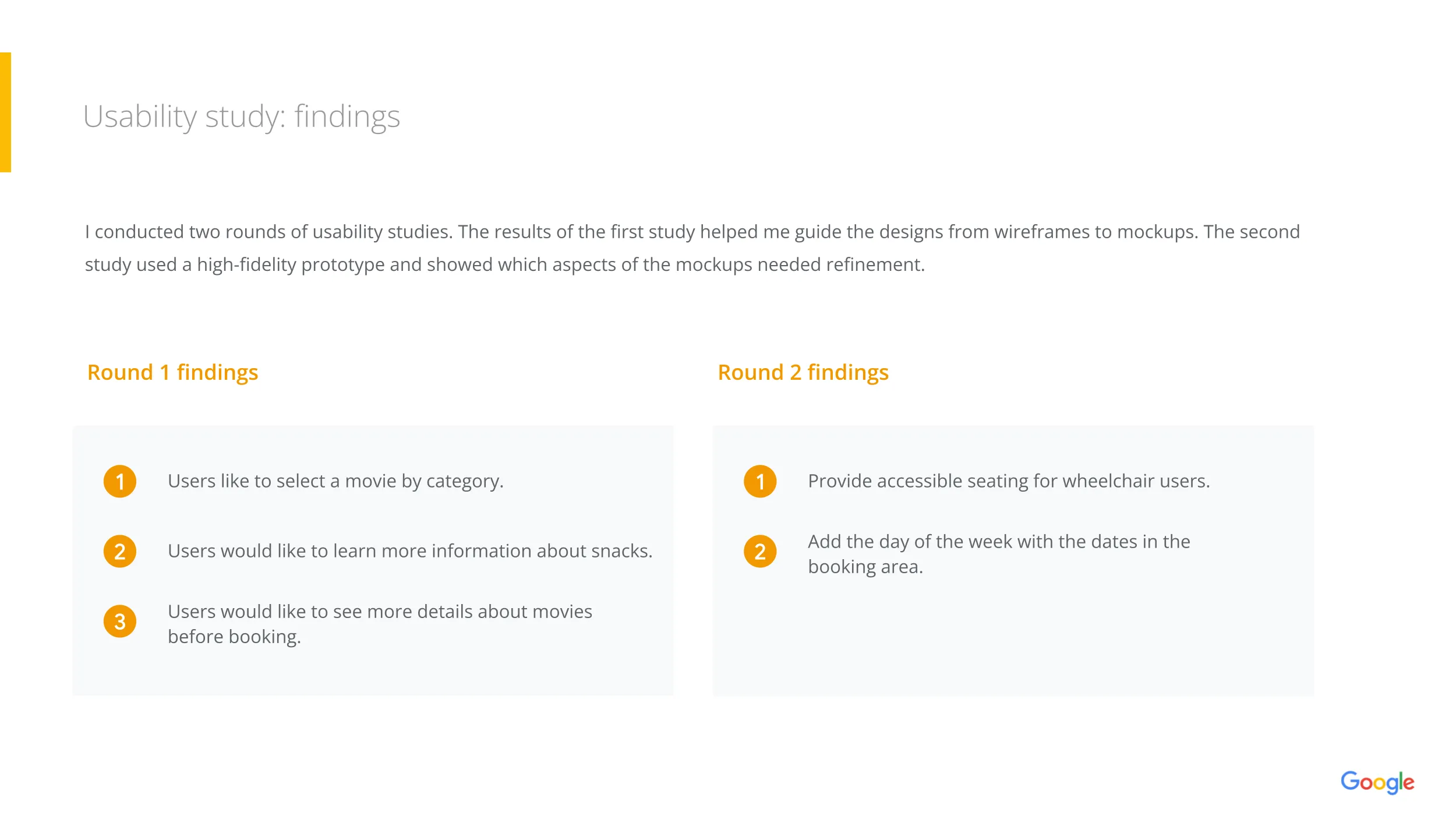
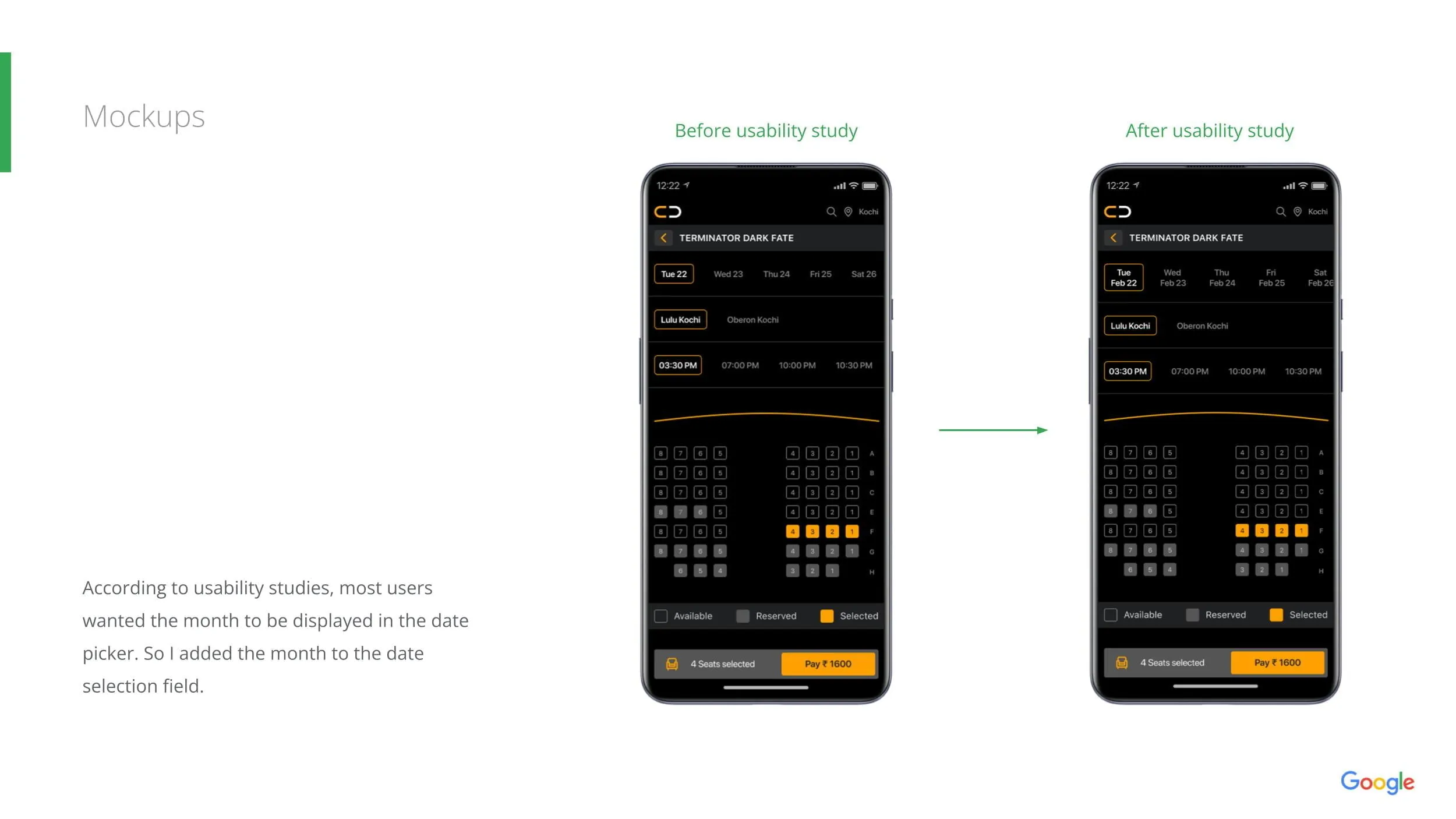
Usability testing validated the design and identified several opportunities for refinement.
Key Findings
| Observation | Improvement |
|---|---|
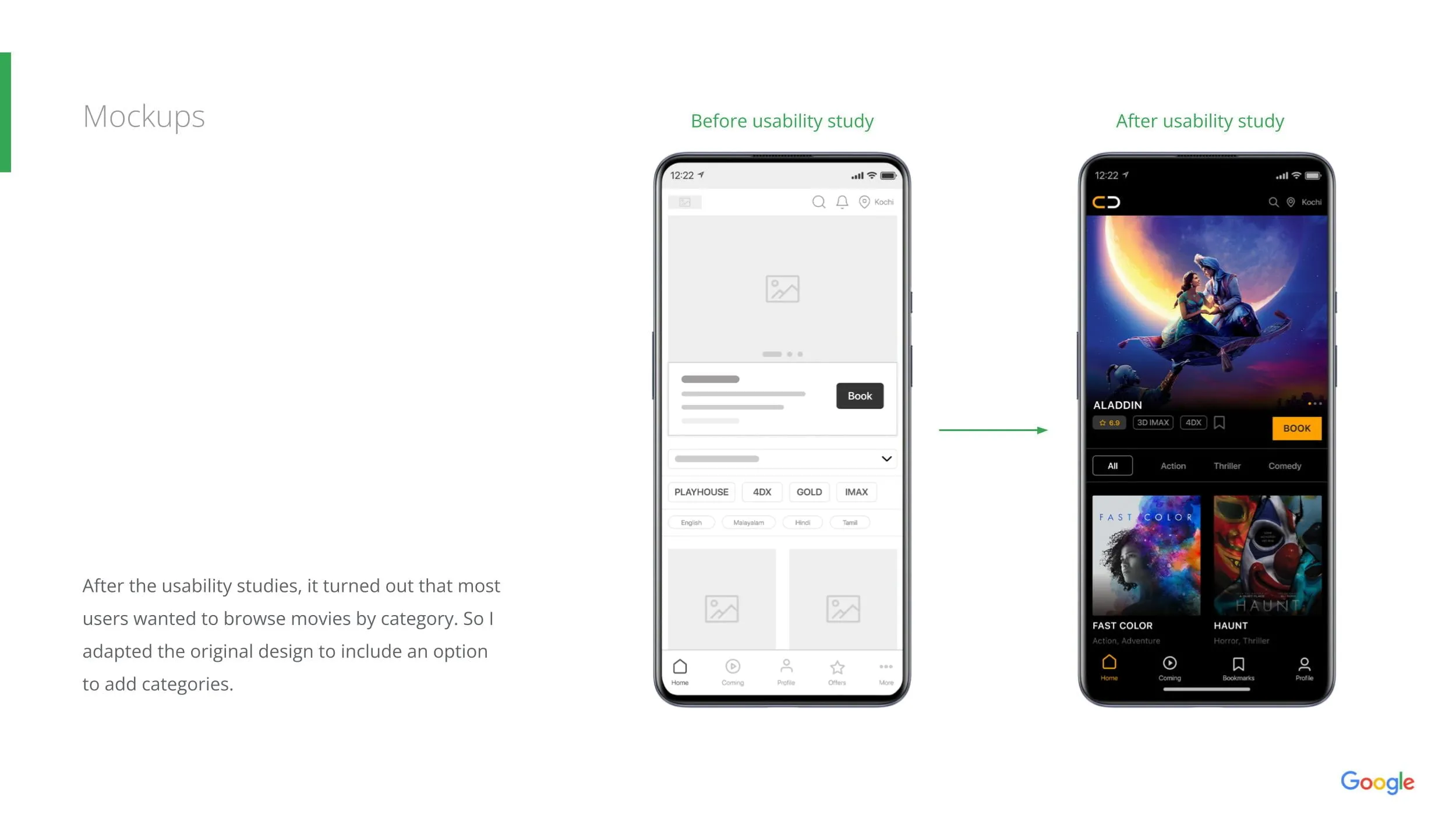
| Users wanted faster movie filtering | Added category filters and search |
| Seat selection caused occasional confusion | Improved colour coding and legends |
| Payment flow required additional reassurance | Added clearer booking summaries |
| Some navigation labels were unclear | Simplified terminology and navigation |
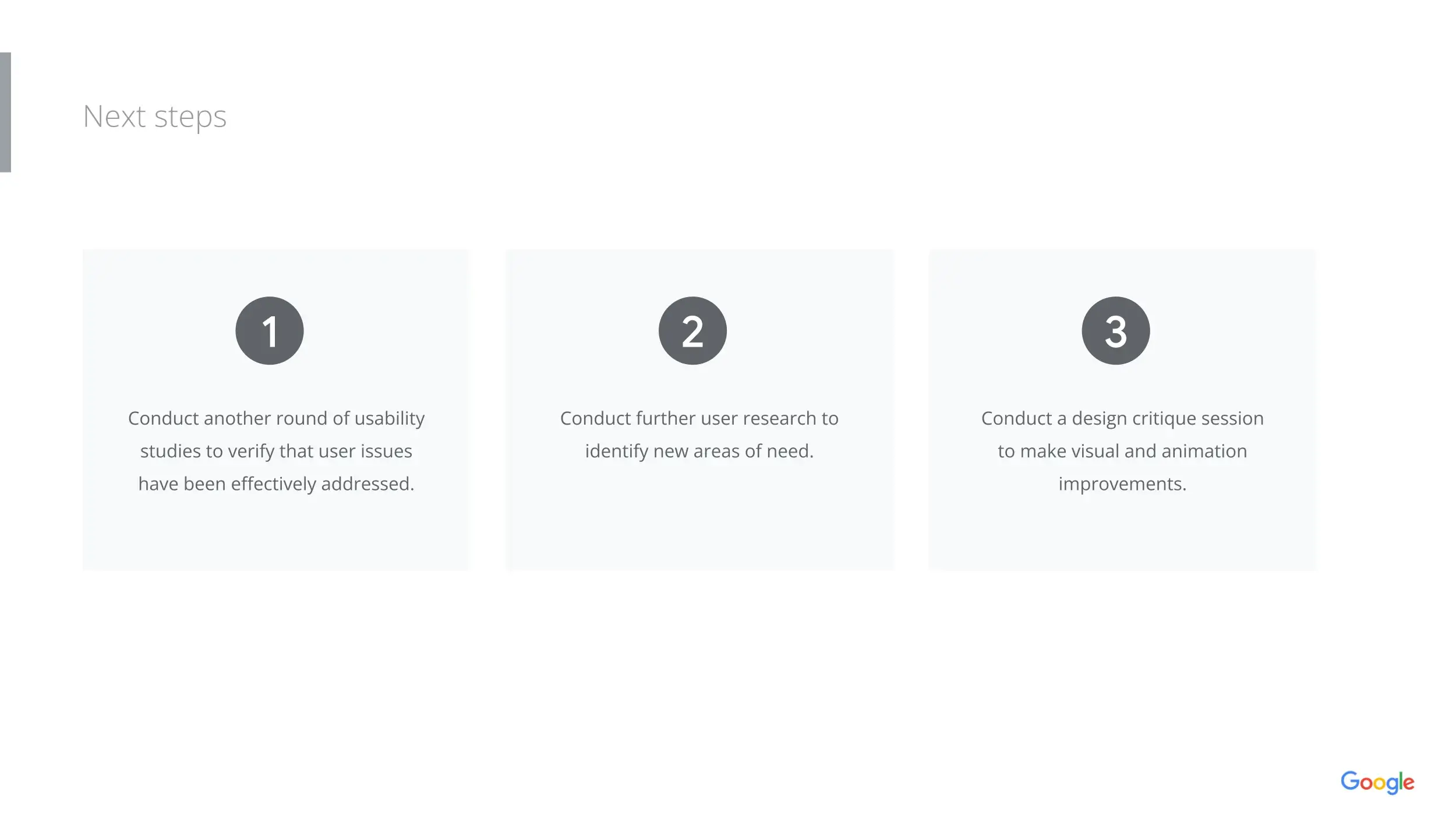
Iterative improvements based on testing enhanced usability and reduced friction throughout the booking process.
Final Solution
Cinedome delivers a streamlined movie ticket booking experience that combines intuitive navigation with a mobile-first interface.
Key Features
Key Learning Outcomes
Completing this project reinforced several important UX principles.
Reflection
Although Cinedome was developed as part of the Google UX Design Professional Certificate, it provided a valuable opportunity to apply a complete user-centered design process from research through validation.
The project strengthened my ability to structure complex design problems, translate user insights into practical solutions, and iterate based on real feedback.
For me, the greatest takeaway was that successful products are not defined by visual polish alone—they succeed when every interaction feels intuitive, purposeful, and effortless for the user.
“The best consumer experiences remove friction so users can focus on the experience they're looking forward to—not the steps required to get there.”
— Design Principle
Skills Demonstrated
Core competencies and methodologies applied throughout the project lifecycle.