REVIVE
Innovation Winner
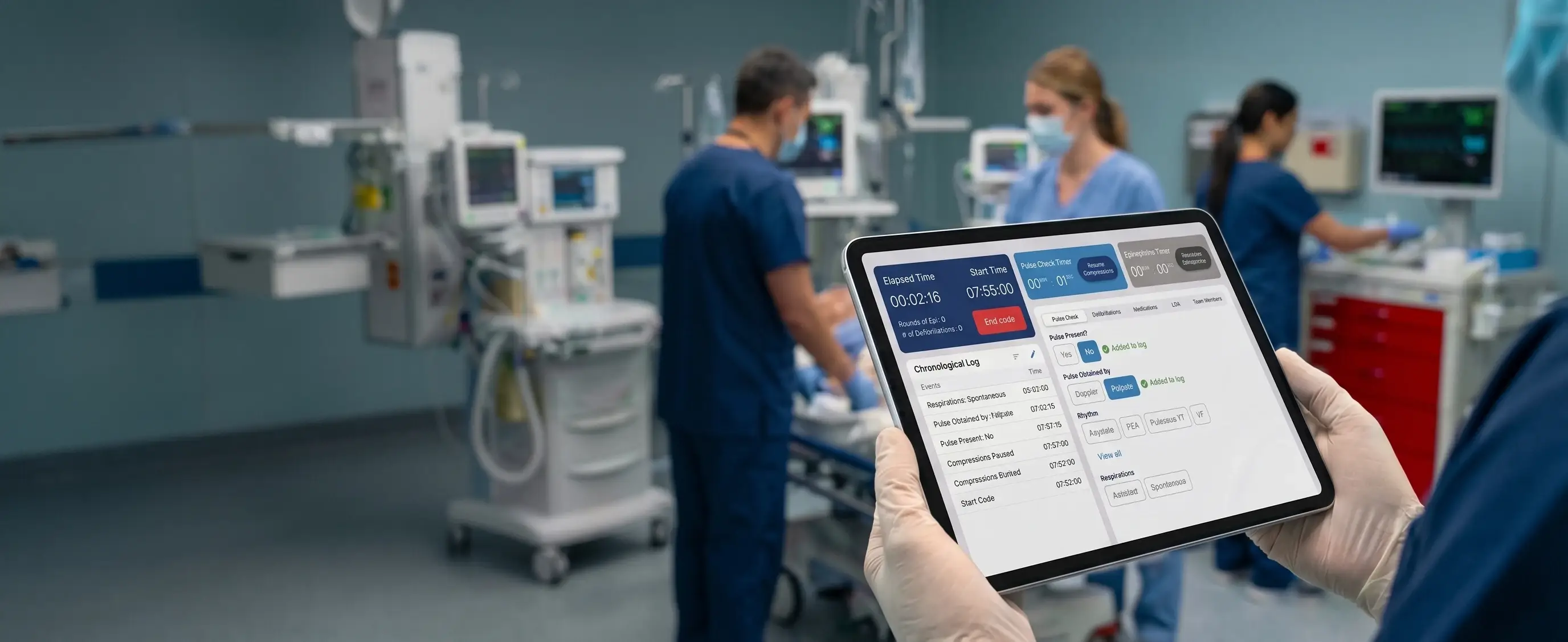
DCoding for Caregivers 2022 WinnerThe application was recognized as a 2022 HCA Healthcare Coding for Caregivers Innovation Challenge Winner, demonstrating its contribution to improving emergency clinical documentation.
Revive
When a patient experiences cardiac arrest, clinicians have only moments to make life-saving decisions while simultaneously documenting every intervention with precision.
Traditional paper-based documentation often introduced delays, inconsistent records, missing timestamps, and increased cognitive burden during one of the most stressful clinical situations in healthcare. Revive was created to transform this process.
Designed for HCA Healthcare, Revive is a native iPad application that enables clinicians to document Code Blue events in real time while supporting Advanced Cardiovascular Life Support (ACLS) workflows through structured digital documentation, contextual guidance, and seamless Electronic Health Record (EHR) integration.
How Revive Came to Life
Revive originated from HCA Healthcare's 2022 Coding for Caregivers Innovation Challenge, where clinicians, product specialists, designers, and engineers collaborated to improve emergency clinical workflows.
The initiative centered on a single question:
At the time, Code Blue events relied on paper documentation that was later transcribed into the Electronic Health Record (EHR), resulting in inconsistent records, delayed availability, and additional administrative effort.
Feedback from frontline nurses highlighted the need for a fast, intuitive digital solution that could support real-time documentation during high-pressure emergencies.
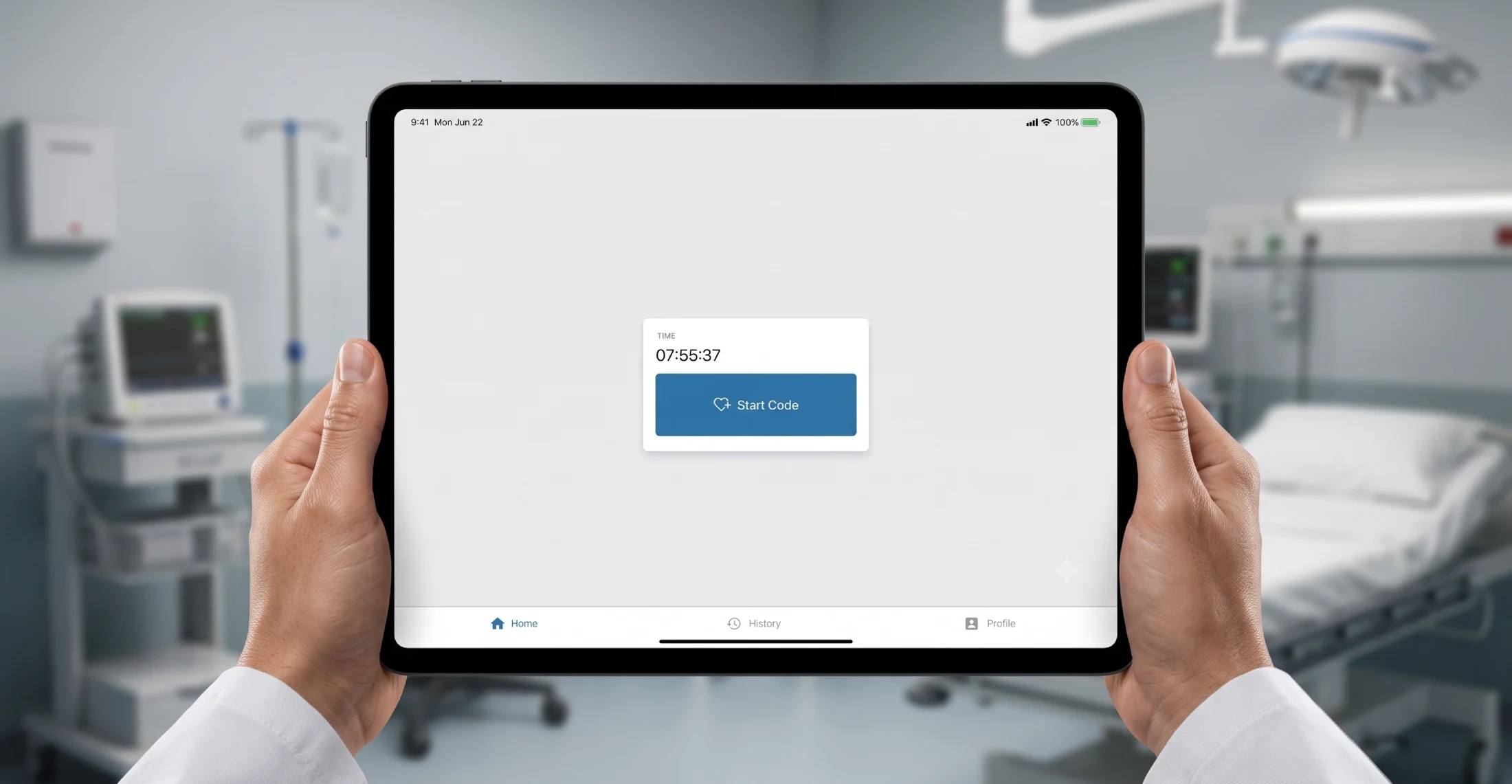
The result was Revive—a native iPad application that streamlines Code Blue documentation through structured digital workflows, real-time event logging, ACLS protocol support, and direct EHR integration.
Following successful pilot deployments in 2023, Revive progressed toward enterprise rollout beginning in 2024, with secure iPads mounted on crash carts to ensure immediate access during emergencies.
By replacing fragmented paper documentation with a standardized digital workflow, Revive improved documentation consistency, enhanced visibility into Code Blue events, and streamlined post-event clinical review.
Project Evolution
Why This Project Mattered
Unlike traditional healthcare applications, Revive was designed for moments where every second matters. The application needed to function in an environment where clinicians were simultaneously:
- Performing CPR
- Monitoring cardiac rhythms
- Administering medications
- Coordinating multidisciplinary teams
- Recording every intervention accurately
- Preparing documentation for review
The interface had to reduce—not increase—cognitive load. Every interaction had to support patient care without distracting clinicians from their primary responsibility.
Business Objectives
The Revive initiative focused on several strategic goals:
Standardize Code Blue Documentation
Replace fragmented paper workflows with a consistent enterprise solution.
Improve Documentation Accuracy
Capture precise timestamps and structured clinical information.
Reduce Documentation Burden
Allow clinicians to record events quickly without interrupting patient care.
Support ACLS Workflows
Provide contextual guidance that aligns with established resuscitation protocols.
Enable Immediate Access
Transmit completed documentation directly into the Electronic Health Record.
My Role
As UX Design Lead, I worked closely with product managers, nursing informatics specialists, software engineers, QA teams, and clinical stakeholders throughout the product lifecycle.
Responsibilities
Design Process
Clinical Workflow Research
Worked with clinicians and product stakeholders to understand Code Blue workflows, documentation practices, and operational challenges during emergency resuscitation events. The insights established the foundation for the user experience.
Workflow Mapping
Mapped the complete documentation journey from Code Blue activation through provider review and EHR submission, identifying opportunities to simplify interactions and reduce documentation friction.
Information Architecture
Structured the application around the natural sequence of a Code Blue event, ensuring clinicians could navigate intuitively with minimal cognitive effort during high-pressure situations.
Interaction Design
Designed streamlined, touch-first workflows with large touch targets, contextual actions, persistent timers, and simplified navigation to support rapid documentation.
Prototype
Created interactive prototypes to validate workflow efficiency, refine screen layouts, and communicate design intent with product stakeholders and engineering teams.
Clinical Validation
Collaborated with clinicians and nursing informatics specialists to verify workflow accuracy, usability, and alignment with Advanced Cardiovascular Life Support (ACLS) documentation requirements.
Developer Collaboration
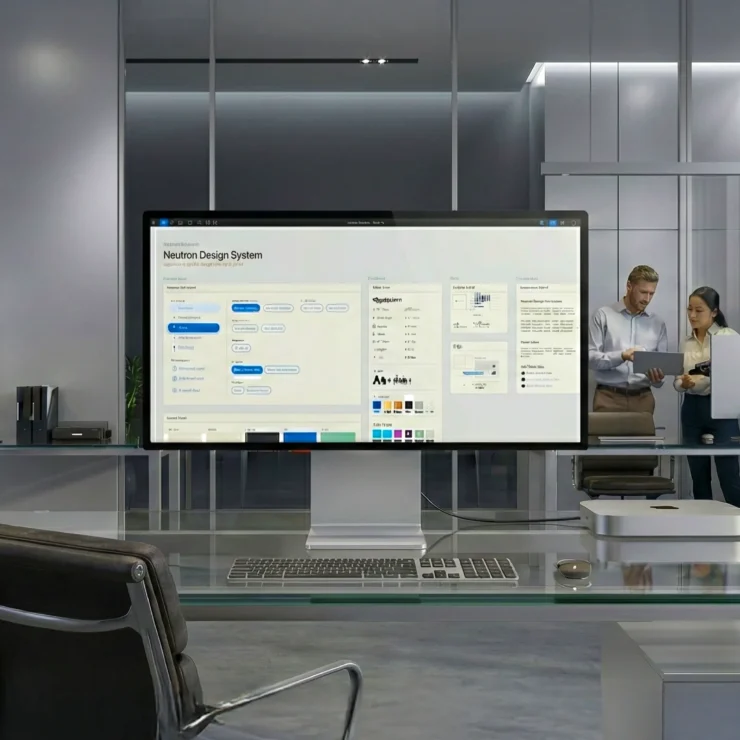
Worked closely with engineers throughout implementation, clarifying interaction behaviors, refining edge cases, and ensuring design consistency using the Neutron Design System.
Enterprise Rollout
Supported pilot deployment and design refinements, contributing to an enterprise-ready solution that standardized Code Blue documentation across participating HCA Healthcare facilities.
Design Approach
Rather than beginning with screens, I began by understanding how Code Blue events actually unfold inside a hospital. My design process focused on reducing cognitive effort while preserving clinical accuracy.
Understand Clinical Workflows
Mapped existing Code Blue documentation practices, clinician responsibilities, and emergency response sequences.
Map Information Flow
Documented how patient information moved from emergency response through provider review and Electronic Health Record submission.
Simplify Critical Interactions
Evaluated every interaction by asking: Can this action be completed faster without sacrificing accuracy?
Validate with Stakeholders
Worked alongside clinicians, nursing informatics specialists, engineers, and product managers to ensure workflows aligned with both clinical practice and technical implementation.
Support Enterprise Delivery
Leveraged reusable components from the Neutron Design System to improve consistency, accessibility, and engineering efficiency.
Understanding the Workflow
The application mirrors the natural sequence of a Code Blue event. Designing around this sequence reduced navigation and supported the way clinicians already think during emergency care.
Key UX Challenges
Reducing Cognitive Load
Challenge: During cardiac arrest, clinicians cannot devote attention to complicated software.
Design Decision: Created focused workflows with minimal navigation and clear visual hierarchy.
Maintaining Accurate Event Timing
Challenge: Paper documentation frequently resulted in delayed timestamps.
Design Decision: Introduced automatic timestamps and persistent protocol timers.
Supporting ACLS Protocols
Challenge: Medication timing and CPR intervals require constant monitoring.
Design Decision: Integrated contextual timers and visual reminders directly into the workflow.
Preventing User Errors
Challenge: Incorrect documentation affects clinical records.
Design Decision: Applied smart defaults, confirmation patterns, large touch targets, and clear separation between routine actions and destructive actions.
Information Architecture
The application mirrors the natural sequence of a Code Blue event. Designing around this sequence reduced navigation and supported the way clinicians already think during emergency care.
Key Design Decisions
One-Touch Documentation
Frequently used actions were reduced to single-tap interactions. This minimized interaction time during emergency care.
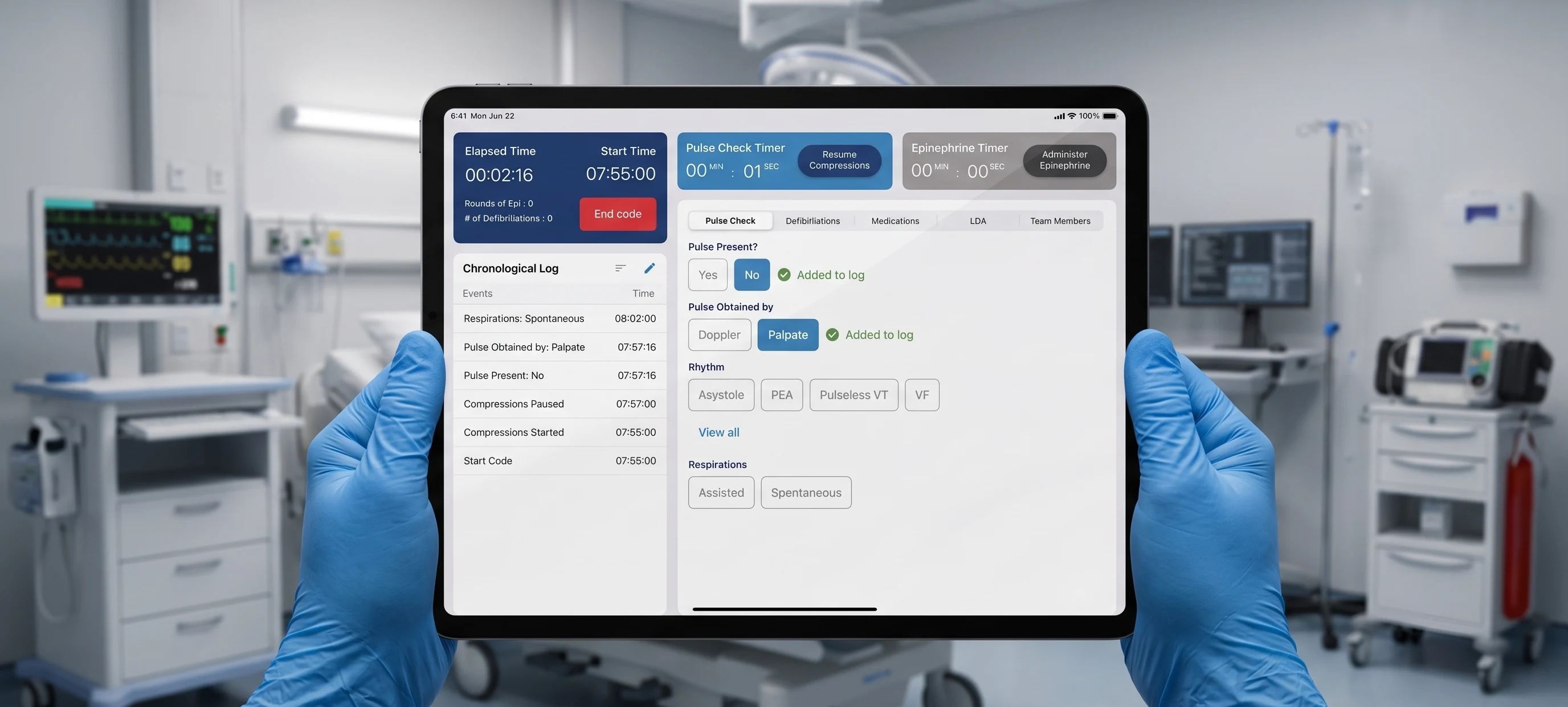
Split-Screen Architecture
A persistent status panel displays timers and chronological events while the primary workspace focuses on current documentation. This separation reduces context switching and improves situational awareness.
Real-Time Event Timeline
Every intervention immediately appears in a continuously updated chronological log. This provides clinicians with complete visibility throughout the Code Blue event.
Medication Workflow
Medication selection, dosage, and administration were flattened into a simplified workflow with contextual defaults. This significantly reduced documentation effort.
Provider Review
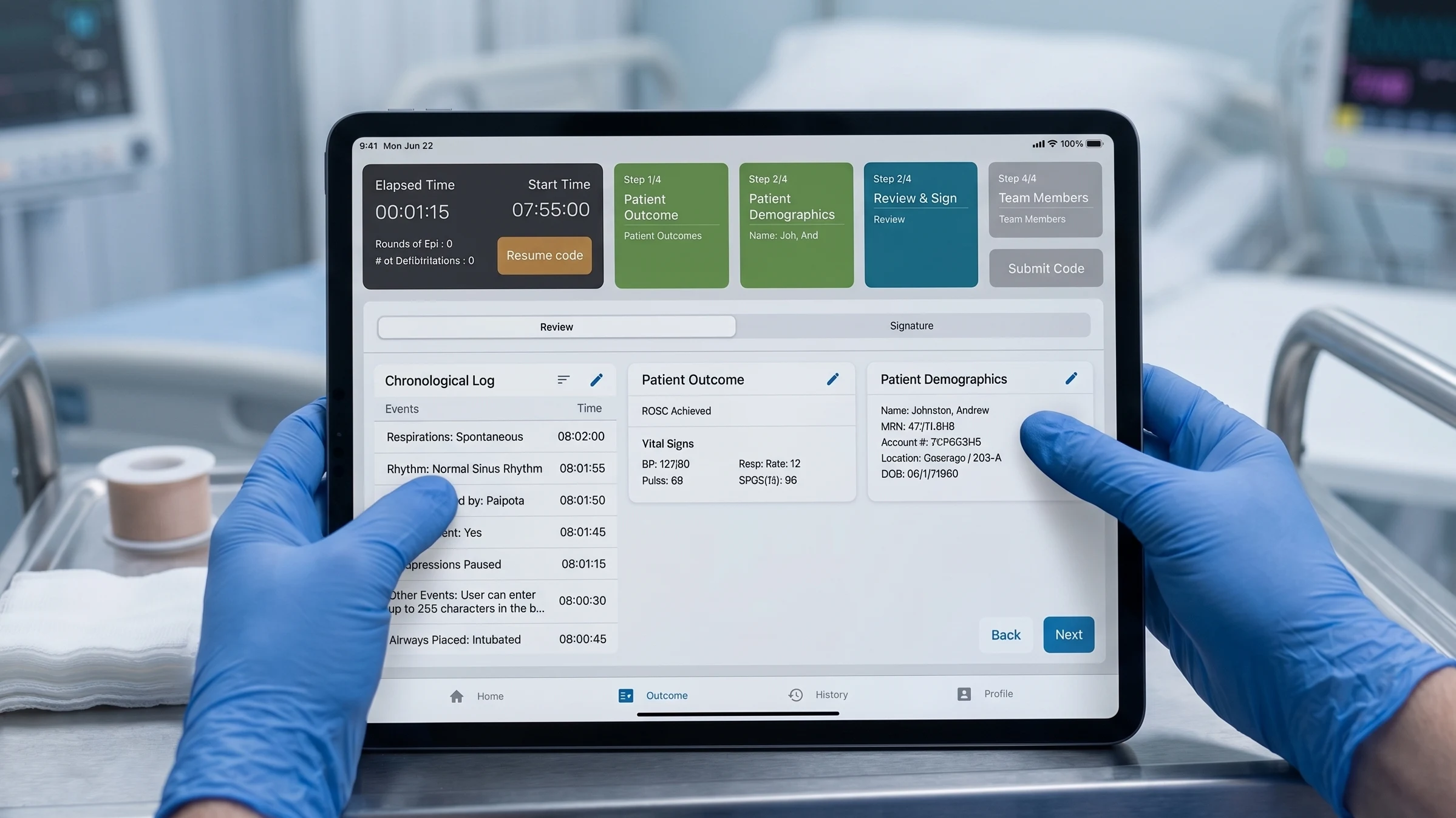
Completed documentation can be reviewed, electronically signed, and transmitted into the Electronic Health Record.
The Challenge
Historically, Code Blue documentation relied on paper forms completed by a dedicated documenting nurse. This approach created several operational challenges:
Documentation after interventions
Medical events were frequently recorded several minutes after they occurred.
Inconsistent documentation
Different hospitals followed different documentation practices.
Lost paperwork
Paper records delayed quality reviews and post-event analysis.
High cognitive load
Clinicians were forced to mentally track medication intervals, CPR cycles, rhythm changes, and timestamps while simultaneously documenting events.
Limited visibility
Clinical teams had no unified digital timeline of the patient's resuscitation event.
The opportunity was not simply to digitize paperwork. It was to redesign the entire documentation experience around the realities of emergency medicine.
Visual Design
The interface was intentionally designed for hospital environments.
Typography
SF Pro with large numerical values optimized for rapid scanning.
Colour Strategy
Accessibility
Large touch targets, high contrast, minimal typing, consistent layout, clear visual hierarchy, and reduced visual noise.
Enterprise Constraints
Revive was designed within several operational constraints that significantly influenced interaction design and workflow decisions:
Split-Screen Architecture
A persistent status panel on the left anchors the experience, displaying the Elapsed Time, Start Time, and a continuously updated Chronological Log of all events. The primary workspace on the right focuses entirely on current documentation tabs (Pulse Check, Defibrillations, Medications, etc.), preventing context switching during critical moments.

One-Touch Documentation
Critical interventions are flattened into large, high-contrast touch targets. Clinicians can quickly document pulse presence, the obtaining method (such as Doppler or Palpate), and rhythm with a single tap. This enables accurate recording while wearing medical gloves and drastically reduces cognitive effort.
Provider Review & Signature
Once the Code Blue ends, the application immediately stops all elapsed timers and transitions into the post-code workflow. The attending provider reviews the chronological log, patient outcomes, and patient demographics for accuracy before securely signing electronically directly on the iPad.
Outcomes
Operational Impact
- Replaced fragmented paper documentation
- Standardized Code Blue workflows
- Reduced documentation inconsistencies
- Improved visibility into patient events
Clinical Impact
- Real-time documentation
- Accurate event chronology
- ACLS workflow support
- Immediate EHR integration
- Reduced cognitive burden for documenting clinicians
Organizational Impact
- 🏆 Winner — HCA Healthcare Coding for Caregivers Innovation Challenge (2022)
- Enterprise deployment across participating HCA Healthcare facilities.
- Supported digital transformation of emergency clinical documentation.
Design System
Revive leveraged the Neutron Design System to ensure consistency across enterprise healthcare products. Reusable components accelerated implementation, simplified maintenance, and strengthened collaboration between design and engineering while supporting accessibility standards.
Reflection
Revive fundamentally changed the way I think about enterprise healthcare UX. Unlike traditional digital products, success was not measured by visual polish alone. Every interaction had to reduce cognitive load, support clinical accuracy, and respect the realities of emergency medicine.
The project reinforced the importance of balancing user needs, technical constraints, regulatory requirements, and multidisciplinary collaboration while designing for environments where every second matters.
One lesson continues to influence my approach to enterprise UX:
"The best interfaces don't compete for attention—they quietly enable people to perform at their best when it matters most."
Confidential Client Engagements
Due to non-disclosure agreements, a significant portion of my most strategic work remains confidential. These enterprise-scale initiatives span the healthcare, aviation, and logistics sectors. Within these engagements, I directed the end-to-end UX for mission-critical applications, engineered highly scalable design systems, and optimized complex operational workflows.